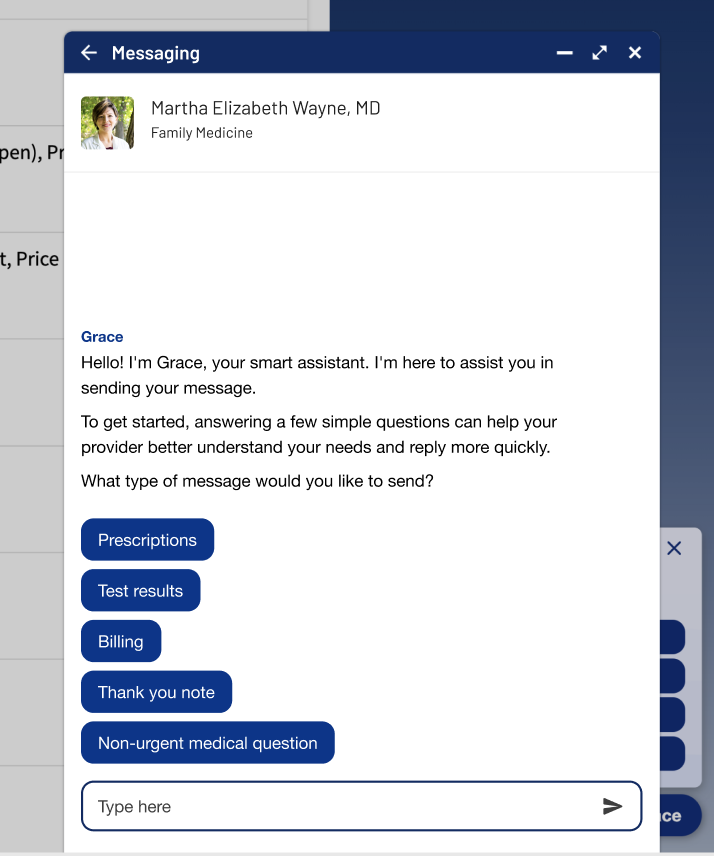
How can I Implement Message Assist on my Page/App?
Stand-Alone Flutter Widget
There are just 3 steps needed to implement Message Assist in a flutter application.
- Install the dependency.
Message Assist can be included as a dependency in an existing project's pubspec file.
  message_deflection:
    git:
      url: git@github.com:providenceinnovation/flutter-message-deflection.git
      path: message_deflection
      ref: v0.79.4
- Import Message Assist
Example:
import 'package:message_assist/message_assist_args.dart';
import 'package:message_assist/message_assist_event_names.dart';
import 'package:message_deflection/message_deflection.dart';
- Initialize with required arguments
In response a call to action, such as a button click, Message Assist can be launched!
Example:
MDApp(
        _repository,
        _initialProviderNPI,
        (MDEvent event) => _handleSDKEvent(event),
      ),
Required arguments to intialize include items such as:
| Argument | Required (Y/N) | Description |
|---|---|---|
| _initialProviderNPI | N | Allow the user to skip the provider selection screen if we know up front who they want to send a message to |
| _repository | Y | Provides functionality such as access token refresh to Message Assist |
| MAEventHandler | Y | Allows the parent app to respond to event requests, such as a redirect to a MyChartSDK deepLink |
Web-based Implementation
You can get started with Message Assist just by loading javascript on your MyChart webpage. When added, Message Assist listens for clicks on MyChart's "Message my care team" button.
When the "Message my care team" button is clicked, Message Assist UI will be diplayed to the user instead of the default MyChart messaging experience.
See details implementation notes on the Adding the Smart Assist and Message Assist page